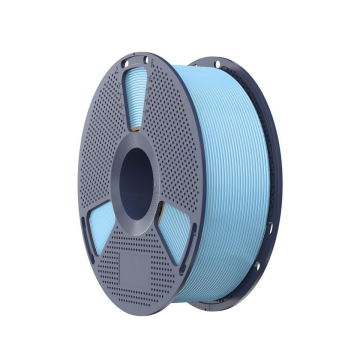
High speed pla filament can support faster workflows, particularly on printers designed for high-speed extrusion. Reaching a target speed also depends on motion control, hotend flow capacity, cooling, and model geometry.
The goal is to balance printing speed with dimensional accuracy and surface quality, rather than simply entering the highest number available in the slicer.
What Does 600 mm/s Mean in Practice?
A slicer speed setting is a requested movement speed, and the nozzle may travel more slowly through some sections of a model. Corners, short segments, small details, and acceleration limits can keep it below the set speed.
A model containing long, straight paths may sustain higher speeds more readily than a miniature with intricate features.
SUNLU High-Speed PLA can handle top-tier printing speeds of up to 600 mm/s with the right temperature settings. In practice, optimal settings depend on your specific spool, with recommended speeds ranging from a standard 250 mm/s up to 600 mm/s.
Treat the higher figure as an upper-end capability and check the current guidance for your specific product.
Set Temperature to Match Speed
Based on standard operating specs, recommended nozzle temperatures fall within these target ranges:
| Print speed | Nozzle temperature |
| 50–150 mm/s | 190–210°C |
| 150–300 mm/s | 200–230°C in the technical sheet; 210–230°C in the store guidance |
| 300–600 mm/s | 230–260°C |
Because the official recommendations differ for the 150–300 mm/s range, use the applicable product instructions as your reference. At higher speeds, filament travels through the hotend more quickly, leaving less time to melt.
Raising the temperature within the stated range can support extrusion, while excessive heat may affect detail, stringing, and surface quality.
The listed bed-temperature range is 50–60°C. Select a setting that suits the build surface, then inspect first-layer adhesion and edge lifting. Bed cleanliness, nozzle height, and plate condition also influence how the first layer forms.
Check Volumetric Flow Before Increasing Speed
Movement speed and extrusion volume are closely related. A print running at 600 mm/s with a 0.45 mm line width and 0.20 mm layer height would require about 54 mm³/s of material flow: 600 × 0.45 × 0.20. The official store listing references flow performance of up to 30 mm³/s, so this example exceeds that figure.
This calculation illustrates why a printer may not sustain 600 mm/s across every combination of line width and layer height. Reducing either dimension lowers the required flow, although it can also affect build time and surface appearance.
Where the slicer supports volumetric-flow limits, set a value appropriate for the hotend instead of assuming that the requested movement speed can be maintained consistently.
Tune Cooling and Motion Settings
At higher speeds, deposited plastic has less time to cool before the next movement or layer. Review the part-cooling fan, airflow path, and slicer cooling settings, particularly around bridges, overhangs, and small features. If edges sag or details soften, cooling or local print speed may need adjustment.
Acceleration and cornering also affect actual throughput. A printer can approach 600 mm/s along a straight path but slow substantially around turns. Review the machine’s motion limits and use a test model containing both long sections and corners to see how the settings affect the result.
For models with fine details, maintaining controlled movement around intricate sections may produce a better finish than applying the same high speed throughout.
Diagnose Defects by Their Pattern
| Symptom | Areas to inspect |
| Gaps or weak lines | Volumetric flow, temperature, extrusion consistency |
| Soft bridges or overhangs | Cooling and local speed |
| Rounded corners or ringing | Acceleration and motion settings |
| Stringing or rough surfaces | Temperature, retraction, material condition |
These symptoms can have multiple causes. Adjust one setting at a time and compare similar prints so that the effect of each change is easier to identify.
When Is 600 mm/s Worth Targeting?
Higher speeds can benefit rapid prototyping and repeated production runs, particularly when models contain long paths that allow the printer to maintain velocity. Detailed miniatures, thin walls, and complex curves may gain less because toolpath geometry and surface requirements limit how quickly those sections can be printed.
For high speed PLA, the useful result is a balance between throughput and finish, rather than simply the largest number in the slicer. Consider which parts of a job can sustain faster movement and where a lower speed may preserve detail or dimensional accuracy.
Build a Profile Around Your Printer
SUNLU high speed pla is marketed for faster printing, with a stated maximum of 600 mm/s in its product positioning. Begin by checking the relevant temperature guidance, setting a suitable flow limit, and adjusting cooling and motion parameters to your printer.
The resulting profile should reflect the machine’s capabilities and the finish required by the project. A carefully tuned setup can shorten suitable jobs while maintaining the level of quality your work calls for.
