Dropped frames and tearing can both look like unstable motion, but they point to different failures. A dropped frame means the playback pipeline did not deliver a new complete frame on time; tearing means visible regions were scanned from frames that were not aligned to the same refresh boundary.
Treating both defects as a generic performance problem can lead to the wrong repair. A playback media server should therefore be diagnosed from content ingestion through decoding, rendering, output timing, and synchronization across every display region.
Identify Whether Frames Are Late or Clocks Are Divided
Observation should begin with the shape and timing of the defect. If motion briefly freezes or advances unevenly across the whole canvas, the playback media server may be missing frame deadlines. If a horizontal discontinuity appears within one image or motion breaks at a boundary between output regions, output timing or synchronization deserves closer attention.
A recording made at a suitable shutter speed can distinguish the patterns, although server logs and output diagnostics provide stronger evidence. Frame-time logs and slow-motion seam footage provide different evidence: the first reveals missed deadlines inside the renderer, while the second shows whether neighboring outputs update on different timing boundaries.
The operator should note whether the problem follows a particular file, scene, input, output, or operating duration. A defect tied to one codec suggests a different path from a seam that appears only after adding another server. Classification narrows the test and prevents unnecessary changes to every part of a working system.
Keep Decode and Rendering Within the Frame Budget
Each frame passes through storage access, media decoding, layer composition, effects, mapping, and output. A playback media server drops frames when the combined work exceeds the available interval or when a resource stalls unpredictably.
High resolution, high bitrate, difficult codec profiles, several simultaneous videos, and layered effects can all raise the load even if the output connector itself supports the requested raster.
Test media should reproduce the production codec, bitrate, frame rate, duration, and number of concurrent layers. The T1 Portable specification from Kystar identifies an 8K hardware decoder; its verified concurrent playback reaches at least four 4K streams or eight 2K streams.
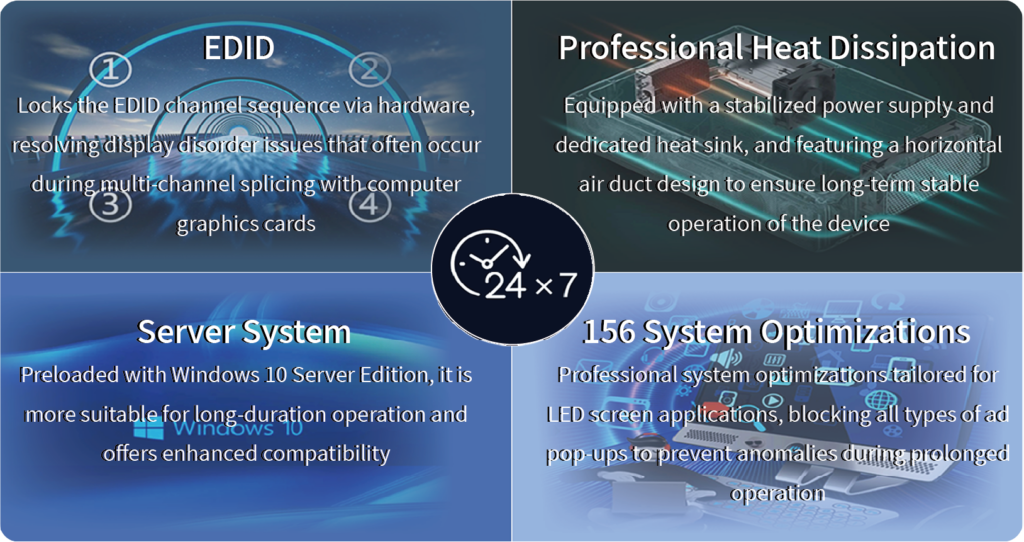
Its multiple DVI, DP, and HDMI paths, tuned Windows 10 Server environment with 156 professional optimizations, server-grade power, optimized thermal design, and hardware-locked EDID address different stability conditions. They do not remove the need to run the worst approved scene long enough to reveal storage, thermal, or configuration limits.
Put Every Output in a Defined Timing Domain
Multiple regions can show the correct pixels and still fail as one picture if their refresh boundaries are unrelated. A playback media server driving a large canvas needs a documented clock relationship among output ports and, where several machines are cascaded, among the machines themselves. Matching nominal refresh rates is not necessarily the same as sharing a synchronization reference.
Kystar’s FP8/FP12/FP16 servers support up to sixteen synchronized 4K@60Hz output channels, together with arbitrary output splitting and recombination, multi-unit cascading, and KFS frame synchronization. FPSync can be used in compatible synchronization architectures to maintain frame alignment across multiple servers. KFS places cascaded servers on a common timing basis to prevent tearing at splicing seams.
The mapped regions must still meet exactly at their pixel boundaries; synchronization cannot correct an overlap, gap, or scaling error in the canvas definition. Downstream devices can introduce another timing boundary. Converters, processors, and LED controllers may buffer or retime signals independently, so a clean server output does not guarantee a clean wall.
Commissioning should observe the final LED surface while outputs are restarted and sources are changed. If the defect appears only after a particular downstream path is added, the investigation can move beyond the server instead of consuming time on media transcoding or GPU settings that were already proven stable.
Stabilize EDID, Mapping, and Failover State
An output-mode change can alter resolution, refresh rate, or color behavior after a cable replacement or display restart. Hardware EDID locking gives the playback media server a stable target mode, reducing the chance that one path negotiates differently from the others.
Every output should have a recorded raster, refresh rate, assigned canvas coordinates, and downstream destination. That information makes a seam reproducible instead of mysterious. Backup operation adds another synchronization test.
FP4 and FPSync support synchronized backup configurations in which a standby server can take over if the primary fails. The standby project, media, mapping, EDID state, and timing relationship must match the active system. Otherwise the failover may preserve signal presence while changing geometry or introducing a new tear.
Verify the Complete Show Rather Than an Idle Canvas
A static test image confirms mapping but places little pressure on a playback media server. Final validation should combine moving seam patterns, the highest approved media load, live or network sources where applicable, scene changes, and the planned backup action.
Output monitoring and frame statistics can be recorded before and after each change. The most useful acceptance result identifies which defect was tested, the precise content and output configuration, the duration, and the observed frame behavior.
Dropped frames are controlled by keeping the full processing path inside its deadline; tearing is controlled by assigning the canvas to one coherent timing domain. Once those two mechanisms are tested separately and then together, multi-output playback can be judged by evidence from the real program rather than by a clean desktop or an undemanding loop.
